How to Open HWP Files Without Hancom in 2026: Free RHWP Chrome Extension
Open HWP files on Mac, Linux, Windows, or Chrome without Hancom Office. RHWP is a free open-source Chrome extension with local WASM processing and basic editing.

Quick take
Start with this judgment
14 min readBottom line
Open HWP files on Mac, Linux, Windows, or Chrome without Hancom Office. RHWP is a free open-source Chrome extension with local WASM processing and basic editing.
- Best for
- Readers who need to solve a concrete workflow problem now
- What to check
- HWP viewer · Hancom alternative · Mac HWP
- Watch out
- Pricing and features can change, so confirm with the official source too.
3 key points
- What you will build: a browser-based setup that opens HWP and HWPX documents on macOS, Windows, Linux, or ChromeOS without installing Hancom Office.
- Core feature: RHWP uses Rust + WebAssembly for local processing, has no ads or sign-up, and supports one-click viewing plus basic text, table, and style editing.
- Time required: about 30 seconds to install, plus 1 minute for the first document test.
목차
- What should you check before starting?
- What is RHWP and why does it matter now?
- Why are HWP files so annoying outside Korea?
- Why has opening HWP on Mac been so messy?
- How do you install RHWP in Chrome?
- Can RHWP really open the first HWP file immediately?
- Can it edit text, tables, and styles?
- How does it compare with other options?
- Is RHWP safe for privacy?
- What is the real-world verdict?
- What limitations should you know?
- Can you use RHWP on iPhone or Android?
- Who should use RHWP?
- Conclusion
What should you check before starting?
RHWP is a Chrome extension for desktop Chromium browsers. The installation is quick, but support depends on your browser and device. Get the conditions right first.
Required environment
You need a desktop Chromium-based browser such as Chrome, Edge, Whale, Brave, or Arc. Mobile Chrome does not support extensions, so mobile is out. The operating system can be macOS, Windows, Linux, or ChromeOS. Apple Silicon and Intel Macs work the same way.
RHWP uses Chrome Manifest V3, so Chrome 88+ is enough. If you are on a current stable browser, you can install it directly.
What does not matter
It does not matter whether Hancom Office or Hancom Viewer is already installed. RHWP runs inside the browser and does not change your system default app settings. If you want to open .hwp files directly with Chrome, set Chrome as the “open with” app for HWP files in your file manager.
What this guide does not cover
This guide is not about producing official documents for government submission. As of RHWP v0.7.2, HWPX saving is still incomplete. The practical target here is: quickly open an HWP you received, inspect or lightly edit it, then share it as PDF if needed.
What is RHWP and why does it matter now?
Open-source HWP viewer built with Rust and WASM
RHWP is an open-source HWP document viewer and editor written in Rust and WebAssembly. The name stands for Rust HWP. The repository is edwardkim/rhwp, the license is MIT, and as of April 2026 it has about 1.2K GitHub stars, 231 forks, and more than 783 tests. The codebase is mostly Rust, with TypeScript and JavaScript on the UI layer (source: GitHub - edwardkim/rhwp).
The WASM binary is about 3MB, which matters because the document parser can run locally inside the browser without uploading the file to a server.
Why it appeared now
Developer Edward Kim built the early version through pair programming with Claude AI, reportedly in about three weeks (source: Digital Daily). Reversing a binary HWP format, writing a Rust parser, packaging a WASM renderer, and wrapping it as a Chrome extension would have been a far slower solo project a few years ago. This is a useful case study for how AI-assisted development is changing open-source tooling.
That background connects naturally with the workflow covered in Claude Code Review: large, format-specific engineering tasks are becoming more approachable when a developer can use an AI pair programmer.
Why are HWP files so annoying outside Korea?
HWP is the Korean Hangul Word Processor format. It is common in Korean government, school, and office workflows, but it is painful on macOS and Linux because official support is limited and the file format is not as widely implemented as DOCX or PDF.
The usual pain points
- You receive a public-form HWP file but cannot open it on a Mac.
- Online converters ask you to upload a sensitive document.
- Hancom Viewer exists, but installation and compatibility can be annoying.
- LibreOffice can open some files, but layout fidelity is inconsistent.
- Mobile apps exist, but desktop editing remains awkward.
Why a browser extension is attractive
A Chrome extension is already cross-platform. If the parser runs in WASM, the same code works on Windows, macOS, Linux, and ChromeOS. That is why RHWP is interesting: it turns a Korea-specific document problem into a browser problem.
Why has opening HWP on Mac been so messy?
Mac users have historically had three weak choices: install a viewer, use a web converter, or ask someone with Hancom Office to export the file. None of these are good if you handle HWP files only occasionally.
| Option | Pros | Cons | Best for |
|---|---|---|---|
| Hancom Office / Viewer | Highest fidelity | Install required, platform friction | Official document work |
| Online converter | Fast for one-off conversion | Privacy risk, upload required | Public non-sensitive files |
| LibreOffice | Free desktop app | Layout can break | Simple HWP files |
| RHWP | Browser-based, local, free | Not full Hancom replacement | Viewing and light editing |
The privacy angle is the biggest reason RHWP is appealing. If a file contains personal information, company data, or a government form, uploading it to a random converter is a bad default.
How do you install RHWP in Chrome?
Installation takes under a minute.
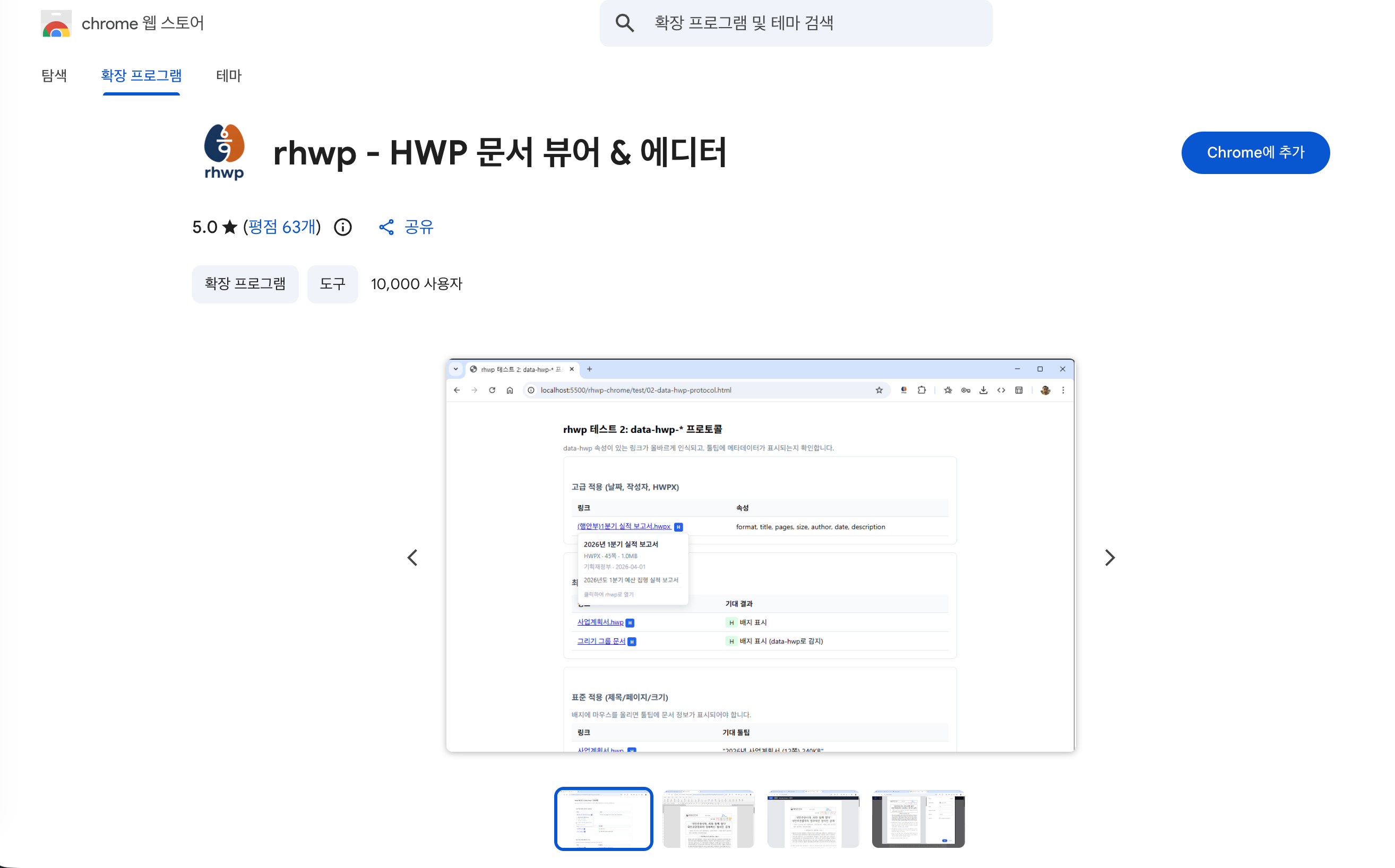
Step 1: Open the Chrome Web Store
Go to the Chrome Web Store and search for rhwp or HWP viewer. The extension name is listed as “rhwp - HWP document viewer & editor”, and the developer account is tangokorea.
Step 2: Add the extension
Click “Add to Chrome” and approve the permission prompt. RHWP may request broad host permissions because it integrates with browser file-opening flows. If you are in a strict company environment, review the source code and manifest first.
Step 3: Pin the icon
Open the puzzle-piece extension menu and pin RHWP to the toolbar. It makes later file-opening flows easier to find.
Open the Chrome Web Store
Search for rhwp or HWP viewer. Check that the developer is tangokorea.
Click Add to Chrome
Review the permission prompt and add the extension.
Pin the icon
Use the extension menu near the address bar and pin RHWP for quick access.
Can RHWP really open the first HWP file immediately?
Yes, for ordinary HWP files. The first test is simple: open an HWP document through the extension or use the browser’s file-opening flow.
What success looks like
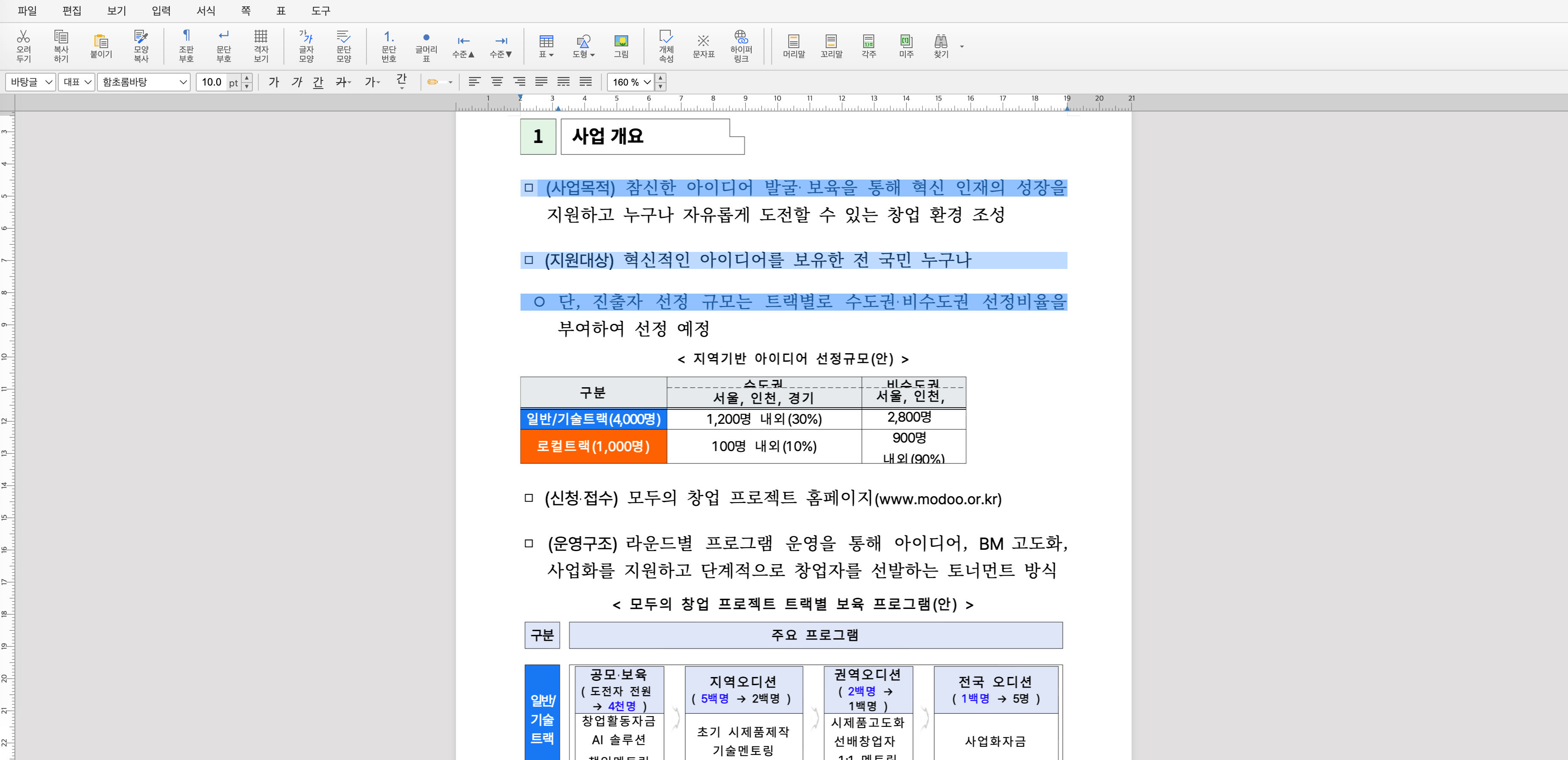
A new tab opens with the file name at the top, the document renders as A4-style pages, and a left sidebar shows the document outline. If scrolling is smooth and the text appears in the right order, the WASM parser is working.
Context menu and file badge
RHWP also integrates into the right-click menu and shows a blue H badge for supported files. This makes it feel less like a one-off converter and more like a browser-native document viewer.

Can it edit text, tables, and styles?
RHWP is not just a read-only viewer. It supports basic editing for text, tables, and formatting. The practical word is basic.
Text editing
For simple documents, you can change text directly in the rendered page. That makes it useful for quick corrections: fixing a name, date, title, or short paragraph before exporting.
Tables and formatting
Tables and styles are supported, but complex public-sector forms can still break. The more nested tables, merged cells, and custom spacing a document contains, the more likely you are to hit layout problems.
Export workflow
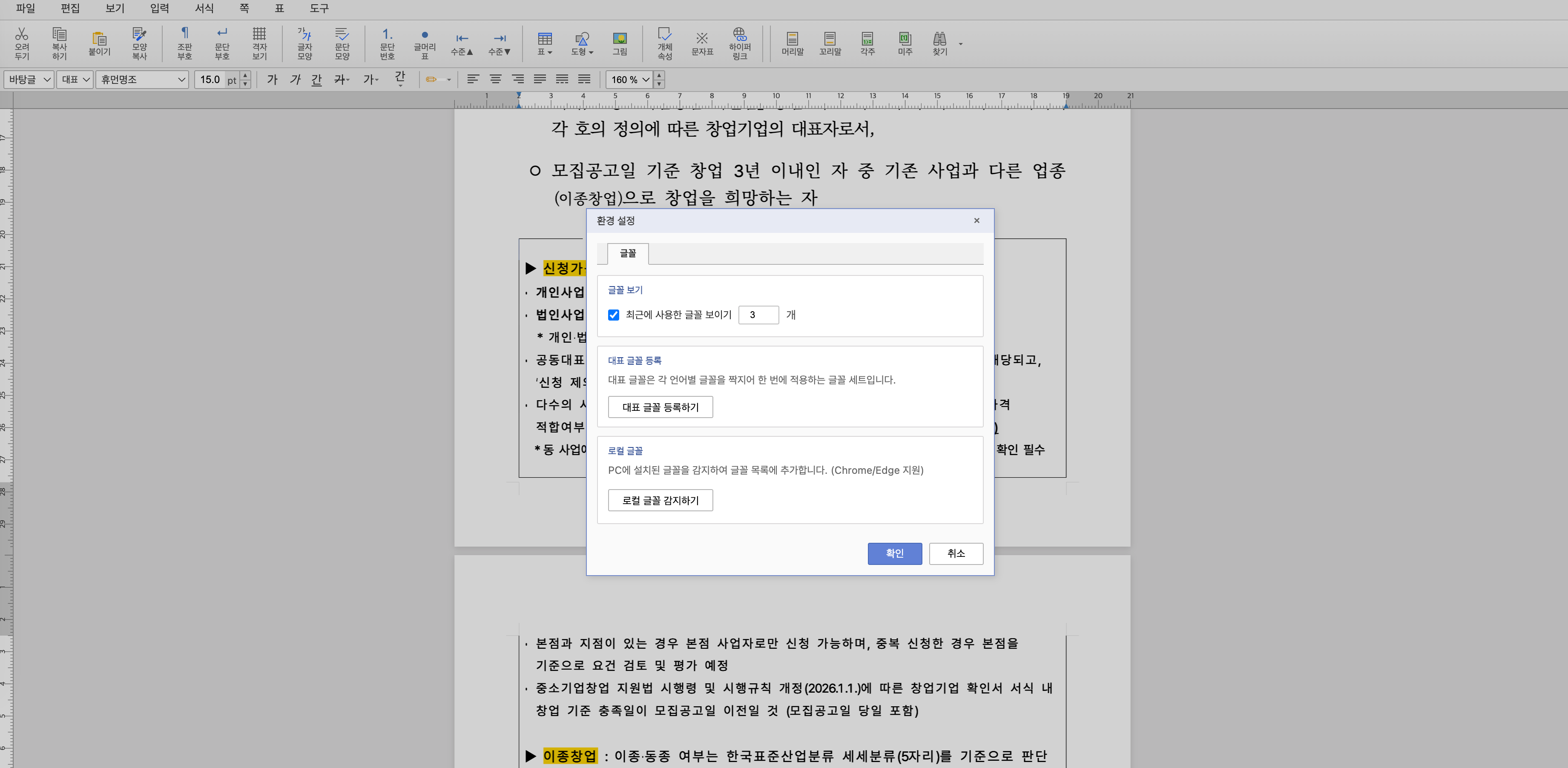
The safest workflow today is: open the HWP, make light edits, then print or export to PDF through the browser. Treat RHWP as a fast viewer and light editor, not a full Hancom Office replacement.
How does it compare with other options?
| Tool | Install | Upload required | Editing | Best use |
|---|---|---|---|---|
| RHWP | Chrome extension | No | Basic | Fast viewing and light edits |
| Hancom Office | Desktop app | No | Full | Official authoring and submission |
| Hancom Viewer | Desktop app | No | No or limited | High-fidelity reading |
| Online converter | None | Yes | No | Public files only |
| LibreOffice | Desktop app | No | Partial | Simple files and offline work |
| Criteria | RHWP | Online converter | Hancom Viewer |
|---|---|---|---|
| Privacy | Local browser processing | File uploaded to server | Local |
| Speed | Fast after install | Depends on upload | Install and launch required |
| Cross-platform | Chromium desktop browsers | Web | Platform dependent |
| Layout fidelity | Good but imperfect | Varies | Best |
| Cost | Free | Usually free | Free or bundled |
Is RHWP safe for privacy?
RHWP’s strongest privacy claim is local processing. The file is parsed by a WebAssembly module inside the browser instead of being uploaded to a conversion server.
Why local WASM helps
With an online converter, you send the entire file to a third party. With RHWP, the parser runs locally. That is safer for drafts, forms, and internal documents. It also makes the tool faster after installation because there is no upload/download cycle.
What to still check
Open source does not mean automatically safe. The extension uses broad browser permissions, so security-sensitive teams should inspect the source, manifest.json, release artifacts, and update process. For enterprise environments, the cleanest path is to fork the extension, review it internally, and distribute a managed build.
RHWP is much safer than uploading private HWP files to random converters, but it is still a browser extension. In strict corporate environments, have the security team review the source and extension permissions before organization-wide rollout.
What is the real-world verdict?
RHWP is the best default option for opening HWP files casually on a Mac or Linux machine. It is fast, free, local, and easy to explain to non-technical users: “Install this Chrome extension and open the file.”
- "It feels faster than Hancom for simple documents." — GeekNews
- "Compared with the installed Hancom app, loading and scrolling feel much lighter." — GeekNews user report
- "This is exactly the kind of tool public-office users needed." — Korean community discussion
- "Great project. Hancom has been too inconvenient for occasional users." — Korean community discussion
- "Some complex forms still fail line wrapping inside tables." — Clien user report
- "Perfectly reproducing Word or Hangul print layout is still hard." — developer comment
- "HWPX saving is not mature enough for official submission workflows." — Digital Daily coverage
What limitations should you know?
Complex forms can break
Public-sector HWP files often contain dense tables, long text inside cells, and old layout assumptions. RHWP can open many of them, but line wrapping and table layout are still the main failure points.
HWPX saving is not ready for official workflows
HWPX is the default format for newer Hangul documents. RHWP can open HWP/HWPX flows, but saving HWPX as a production-ready document remains a roadmap item. If you need to submit a document to a government office, use Hancom Office or verify the exported PDF carefully.
It is desktop-only
Chrome extensions do not run on iOS Chrome. Android Chrome also does not support normal desktop extensions. On mobile, use a dedicated HWP viewer app or convert from a trusted desktop workflow first.
Pros
- + Free and open source under MIT
- + Works on macOS, Windows, Linux, and ChromeOS through Chromium browsers
- + No file upload required because parsing runs locally in WASM
- + Fast enough for everyday viewing
- + Supports basic editing, not just viewing
Cons
- − Complex table-heavy HWP forms can still render incorrectly
- − Not a full replacement for Hancom Office
- − HWPX saving is not mature enough for official submission work
- − Desktop browser only; mobile Chrome extensions are not supported
- − Enterprise teams should review extension permissions before deployment
Can you use RHWP on iPhone or Android?
Not directly through Chrome. iOS browsers must use WebKit, and Chrome for iOS does not support desktop Chrome extensions. Android Chrome also does not support ordinary Chrome extensions. A few Android browsers support extensions, but relying on that for HWP work is not a stable recommendation.
The practical mobile workflow is:
- Open the file on desktop with RHWP.
- Export or print to PDF.
- Send the PDF to mobile.
Who should use RHWP?
Recommended
- Mac users who occasionally receive HWP files
- Linux users who do not want a heavy office-suite workaround
- Students, freelancers, and office workers who just need to read a form
- Developers who want to inspect HWP content locally
- Teams that want a self-hostable or forkable open-source path
Not recommended
- Government submission workflows where exact HWP/HWPX output matters
- Legal or financial documents where layout fidelity must be perfect
- Mobile-only users
- Organizations that cannot approve browser extensions
If you need to process HWP programmatically, RHWP also exposes packages such as @rhwp/core and @rhwp/editor. That opens a path for pipelines like “extract HWP text locally, summarize with a local LLM.” Pairing that with a local model such as Gemma 4 is a clean privacy-preserving workflow.
Conclusion
Key takeaway
RHWP is the easiest current way to open HWP files without Hancom Office on a desktop browser. It is local, free, open source, and fast enough for normal viewing. It is not yet a perfect Hancom replacement, especially for complex forms and official HWPX saving.
Install RHWP in Chrome or another Chromium desktop browser, open the HWP locally, make only light edits, then export or print to PDF when sharing. For official submission or layout-critical documents, verify with Hancom Office before sending.
Install RHWP
Add the RHWP extension from the Chrome Web Store and pin it to the toolbar.
Open a test HWP file
Use a non-sensitive sample first. Confirm that pages, text order, and tables render correctly.
Use PDF for sharing
After light edits, export or print to PDF. Do not rely on RHWP as a final official HWPX authoring tool yet.
Review permissions for team use
If deploying inside a company, inspect the source and extension permissions or distribute an internal reviewed fork.
Is RHWP free?
Does RHWP upload my HWP file to a server?
Can RHWP replace Hancom Office?
Does it work on Mac?
Can I use it on iPhone?
Is it safe for company documents?
Was this helpful?
One tap shapes what gets written next.
Topic tags

HOP HWP Desktop App Guide 2026: Open HWP and HWPX on Mac, Windows, and Linux for Free
A practical guide to HOP, the free desktop app for opening HWP and HWPX files without Hancom. Covers download links, installation, PDF export, and how it differs from RHWP.
Read
How to Use NotebookLM in 2026: Free Limits, Upgrade Triggers, and Gemini Workflow
A practical NotebookLM guide covering free limits, Deep Research, Gemini Notebooks, file generation, privacy caveats, and when to upgrade.
Read
Recordly Review: A Free Screen Studio Alternative With Auto Zoom, GIF Export, and Korean UI
A hands-on Recordly review covering auto zoom, captions, cursor polish, webcam controls, extension support, current bugs, and where it stands against Screen Studio and Loom.
Read